
A product manufacturing company with roughly 1,000 employees was paying for 10,000 SaaS seats across 150 subscriptions. Nobody owned SaaS seat management. When employees or contractors left, the company created a Zendesk ticket, but no one had time to act on it. The backlog grew to 300 unresolved tickets. By the time they engaged FlowRunner, 2,800 seats sat unused, costing $90,160 per year.
Key Results:
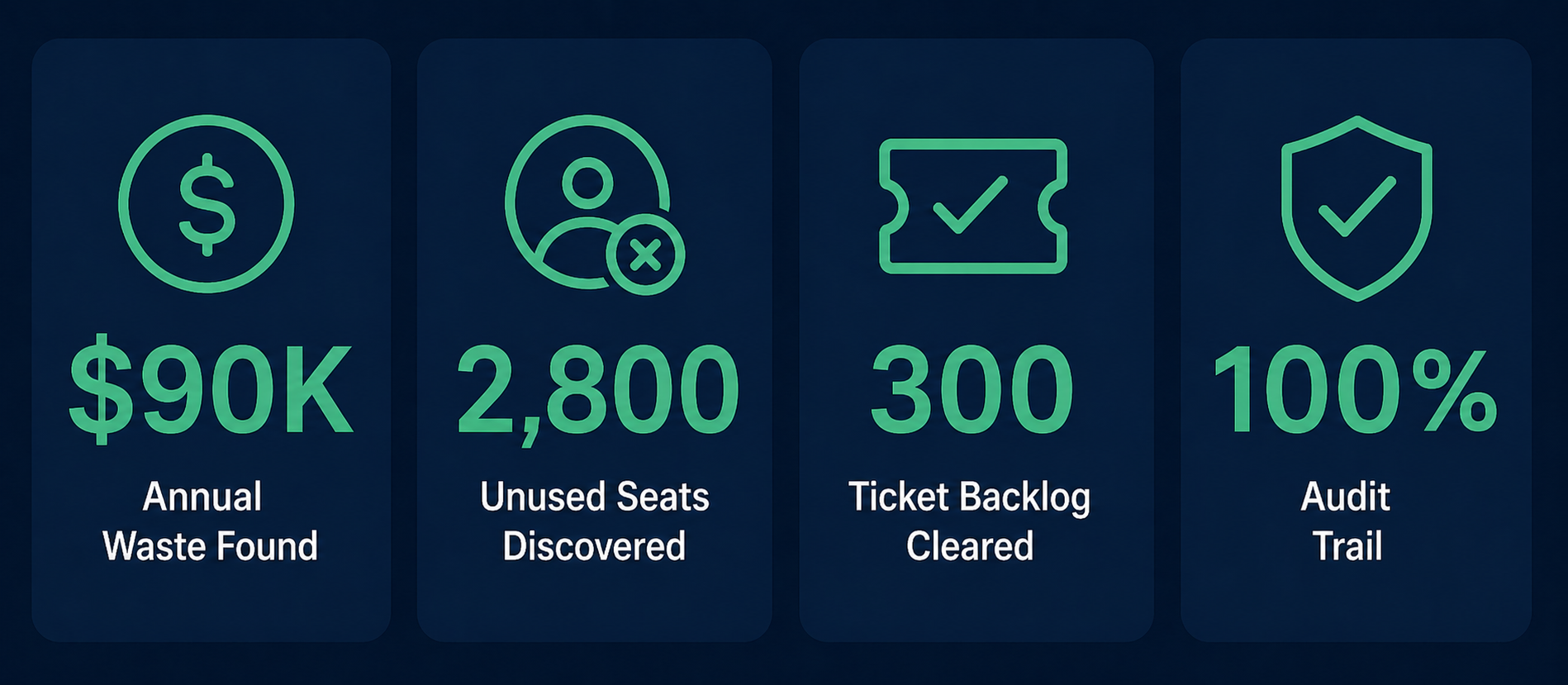
- First automated run surfaced 2,800 unused seats across 150 subscriptions
- $90,160 in annual spend tied to seats nobody used
- Removed 80% of unused seats, moved 20% to discounted “unassigned” status with vendors
- Monthly automated monitoring replaced a manual process nobody had time for
- FlowRunner routes exceptions to controller via email, with Slack follow-up if unresolved
- Complete audit trail for every seat decision
About the Client
A product manufacturing company with approximately 1,000 employees operating across multiple departments and facilities. The company relies on a large portfolio of SaaS subscriptions – roughly 150 tools covering everything from collaboration and design to ERP, security, and sales enablement. That’s an average of 10 SaaS tools per employee and approximately 10,000 total seats.
Like most companies at this scale, SaaS spend grew organically over several years. Teams added new tools as they needed them, managers provisioned seats as they hired, but no one owned the process of cleaning up after people left. SaaS seat management belonged to everyone in theory and nobody in practice.
The Challenge
A Process That Existed Only on Paper
The company had a process on paper. When an employee or contractor left, the team created a Zendesk ticket with instructions to review their SaaS access — go through each subscription, check whether to reallocate or remove the seat, and update the account.
In practice, nobody had time to do it. Each ticket required checking the departing employee’s access across all relevant subscriptions. At 10 tools per person, that’s 10 individual checks per ticket — logging into admin consoles, verifying usage, deciding whether to remove or reassign. The tickets stacked up faster than anyone could clear them.
Why the Backlog Grew
Three things made the problem worse:
No single owner. IT could handle the technical removal but didn’t have context to decide whether to reassign a seat. Finance could evaluate the cost but didn’t have admin access to the tools. Managers knew whether a seat should move to someone else but weren’t in the ticket queue. As a result, tickets bounced between teams or simply aged out.
Low urgency per ticket. Any single ticket represented maybe $30-50/month in wasted seats. Not enough for anyone to prioritize over their actual job.
Invisible accumulation. The waste didn’t concentrate in one or two expensive tools. It spread broadly across the full portfolio of 150 subscriptions — small amounts per tool, invisible on any single invoice, but massive in total. This is what makes SaaS sprawl so hard to manage manually. No single subscription looks alarming. The waste only shows up when you look at everything at once.
By the time the backlog hit 300 tickets, the company decided to stop treating SaaS seat management as a side task and start treating it as a financial control.
The Solution
The MidnightFlow team deployed FlowRunner to replace the manual Zendesk process with an automated monthly scan that finds unused seats, provides context for each one, and routes decisions to the controller.
Automated Discovery
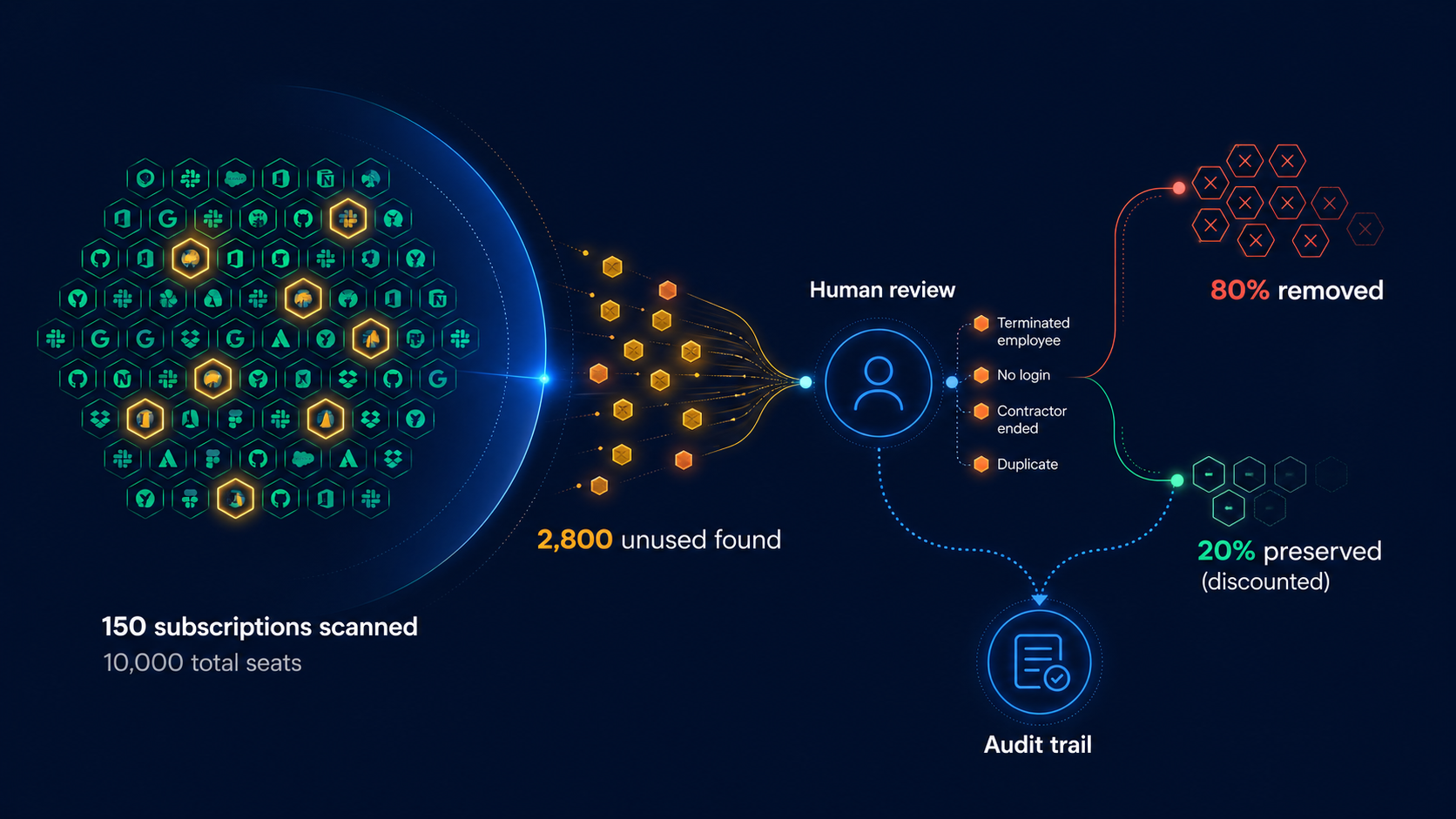
Each month, FlowRunner connects to all 150 SaaS subscriptions via API, pulls current seat assignments, and cross-references them against the company’s employee directory. The system flags any seat assigned to a terminated employee, an inactive contractor, or a user with no login activity in the past 30 days.
Because the scan covers every subscription in a single pass, waste that previously hid across 150 individual tools shows up in one report.
Context-Rich Exception Routing
Not every unused seat should go away. Some belong to employees on leave. Others are shared or service accounts that get used only now and then. A few may tie to annual contracts where removal doesn’t reduce cost until renewal.
FlowRunner flags each unused seat with the specific reason it stood out: terminated employee, no login for 45 days, contractor end date passed, or duplicate license detected. This context goes directly to the controller via email so she can make the right call without researching each one.
If exceptions sit unresolved past a set window, FlowRunner follows up via Slack. This replaced the Zendesk backlog problem entirely – instead of tickets aging in a queue, the system actively surfaces decisions until someone handles them.
Smart Disposition
The review process revealed something that fully automated removal would have missed. About 20% of the 2,800 unused seats worked better in an “unassigned” state that most SaaS vendors offer at a discounted rate, rather than being removed outright. This preserved the option to reassign them later without paying full price for a new seat.
This is the judgment that matters. An automated script that simply removed all 2,800 seats would have cost the company money when they needed to re-provision 560 of them at full price. The human review step, with proper context, produced a smarter financial outcome.
Audit Trail
FlowRunner logs every seat decision: which seats it flagged, why, who reviewed them, what action they took, and when. The controller and CFO can review the complete history at any time. This matters for budget planning and vendor negotiations – the company now has data on seat utilization trends over time, not just a point-in-time snapshot.
The Results
Immediate Impact
$90,160 in annual waste surfaced on the first run. FlowRunner found 2,800 unused seats across all 150 subscriptions. The waste spread broadly — no single tool caused the problem, which is exactly why it went unnoticed for so long.
300-ticket backlog cleared. The monthly automated scan replaced the Zendesk workflow entirely. Instead of tickets aging in a queue, FlowRunner now finds unused seats proactively and routes them for decision within days.
Ongoing Value
Smarter outcomes than pure automation. Of the 2,800 unused seats, the controller removed 80% and moved 20% to discounted unassigned status. As a result, the company preserved flexibility while still cutting waste. A fully automated removal would have moved faster but would have cost more in re-provisioning when those seats came back into need.
Monthly cadence creates ongoing discipline. SaaS seat management is no longer a one-time cleanup. The monthly scan catches new waste as it appears — when employees leave, projects end, or tools get abandoned. Because the process runs continuously, the backlog can’t rebuild.
Controller time is minimal. The controller reviews only the exceptions that require judgment. Most months, that’s a fraction of the total seats scanned. Her time went from “I can’t get to this” to “I handle this in an hour.”
Looking Forward
The first run was the cleanup. Now, the monthly cadence turns SaaS seat management from a reactive task into a financial control. Each cycle catches new waste before it compounds, and the historical data builds a picture of utilization trends across the full software portfolio.
Future phases include integration with vendor contract data to time seat removals around renewal windows for maximum savings, automated alerts when utilization drops below thresholds on high-cost tools, and expansion of the monitoring to cover usage depth – not just whether someone logged in, but whether they’re using enough of the tool to justify the seat tier they’re on.
For any company with more than a handful of SaaS subscriptions, the pattern is the same: the waste is there, it’s spread thin enough to be invisible on any single invoice, and the only way to find it is to look at everything at once. SaaS seat management isn’t a project. It’s a process. The companies that treat it as ongoing save money every month. The ones that treat it as a one-time audit find themselves back in the same position a year later.