Every prior auth document read, matched, and routed.
Prior authorization requests, approvals, and denials are read as they land, matched to the patient and the service, and sent to the person who owns them.
- After launch
- We keep it running
- Runs on FlowRunner
- Billed separately
What you get
-
Every document read
Requests, approvals, denials, and requests for more information.
-
Structured records
Member, service, codes, payer, and status.
-
Gaps flagged
Missing clinical notes and anything unclear are flagged.
-
Sent to the right person
Denials go straight to whoever owns them.
-
Decisions where you work
A helpdesk ticket, Slack, or email, with no patient details in the alert.
-
HIPAA from day one
A business associate agreement, FlowRunner's HIPAA setting on, and a log of who did what.
How it runs
One real example, start to finish.
- Runs on its own
- A person on your team decides
-
Fax picked up
A determination letter is faxed at 6:40 p.m. and picked up within minutes.
-
Read
The member, service, codes, and status are read off the letter.
-
Matched
It is matched to the patient and the original request.
-
A person decides
A person decidesThe person who owns it sees the letter and decides what is next.
What changes for your team
Your team stops sorting faxes and working out whose patient each one is.
The people who know what to do with a denial see it right away.
You stay in charge.
The routine runs on its own. At these moments it stops, asks a person, and waits for the answer.
-
A denial or request for more information arrives.
Sent to the person who owns it, by helpdesk ticket, Slack, or email, with no patient details in the alert
-
A document cannot be matched to a patient or request with confidence.
Secure screen, where your team picks the match or overrides
-
A request is missing something it needs.
Flagged to your team on the secure screen
You set the rules, and can change them any time
- The document types, and who owns each one.
- What must be present in a request.
- What counts as urgent, and who is alerted.
- Where decisions land: your helpdesk, Slack, email, or the secure screen.
What we'll need from you
- Signed business associate agreement with Midnight FlowOperations or compliance lead
- Admin login to your fax service, or to the inbox your faxes arrive inOperations lead
- Access to your EHR or operations systemOperations or IT lead
- A FlowRunner account and an AI provider account in your organization's name, on terms that cover patient dataOperations lead, with us on the call
- Your document types, your checks, who approves what, and documents for the test run, shared after the BAA is signedOperations lead
- Review of the test run and your go-aheadOperations lead
Works with what you already use
- Your fax line
- Gmail
-
 Outlook
- Your EHR or operations system
- Zendesk
- Slack
- Text messages
Product names and logos are trademarks of their owners. Midnight Flow is not affiliated with or endorsed by them.
The details
Included
- Every prior authorization document picked up as it arrives, by fax or email.
- Each one read and turned into a structured record, including the member, service, codes, payer, and status.
- Each one matched to the patient and the request it belongs to.
- Anything missing, such as clinical notes, flagged for your team.
- Denials and requests for more information sent straight to the person who owns them.
- A secure screen where your team sees the record beside the original and can correct or override.
- A business associate agreement with Midnight Flow and a record of who did what and when.
- A test run on de-identified or BAA-covered documents before go-live, and a walkthrough for your team.
Not included
- Coverage and medical necessity decisions, which always stay with a person.
- Physical fax machines. We work with a digital fax service.
- Changes to your EHR or operations system beyond matching patients and writing records.
- Your organization's HIPAA program, such as policies, risk assessment, and staff training.
- Your FlowRunner subscription and AI model usage, which are billed separately.
- Ongoing changes after launch, which are covered by the care plan or priced per change.
After launch, we keep it running.
On our care plan
We monitor it, fix it, and make your changes, with a named contact. Your team does nothing.
Unlimited changes to what we built, cancel any month
Or run it yourselves
We hand it over and train your team on what it does and what to do if something looks off.
Changes later, scoped with you
It keeps running. Your automation lives in a FlowRunner account in your business's name, so it never depends on us, and we hand everything over to you or whoever you choose.
Want this built for you?
A 30-minute call. Bring one real document. We keep it running.
We do the build: setup in your accounts, tuning on your own past data, and training your team. FlowRunner runs it from there. How we work
Two separate bills apply: your FlowRunner subscription, billed by FlowRunner at your volume, and your AI model usage, billed by your AI provider. We set both accounts up for you. See FlowRunner pricing.
Frequently asked questions
Can we try it with our own documents?
Yes, with a test document. Please do not upload real patient records to this public page.
Do payers need to change anything?
No. They send what they send today.
Ready to scope this for your office?
Book a call to confirm the scope and the start date, or send a fit check and we will reply with next steps.
This prior authorization just landed in your fax inbox.
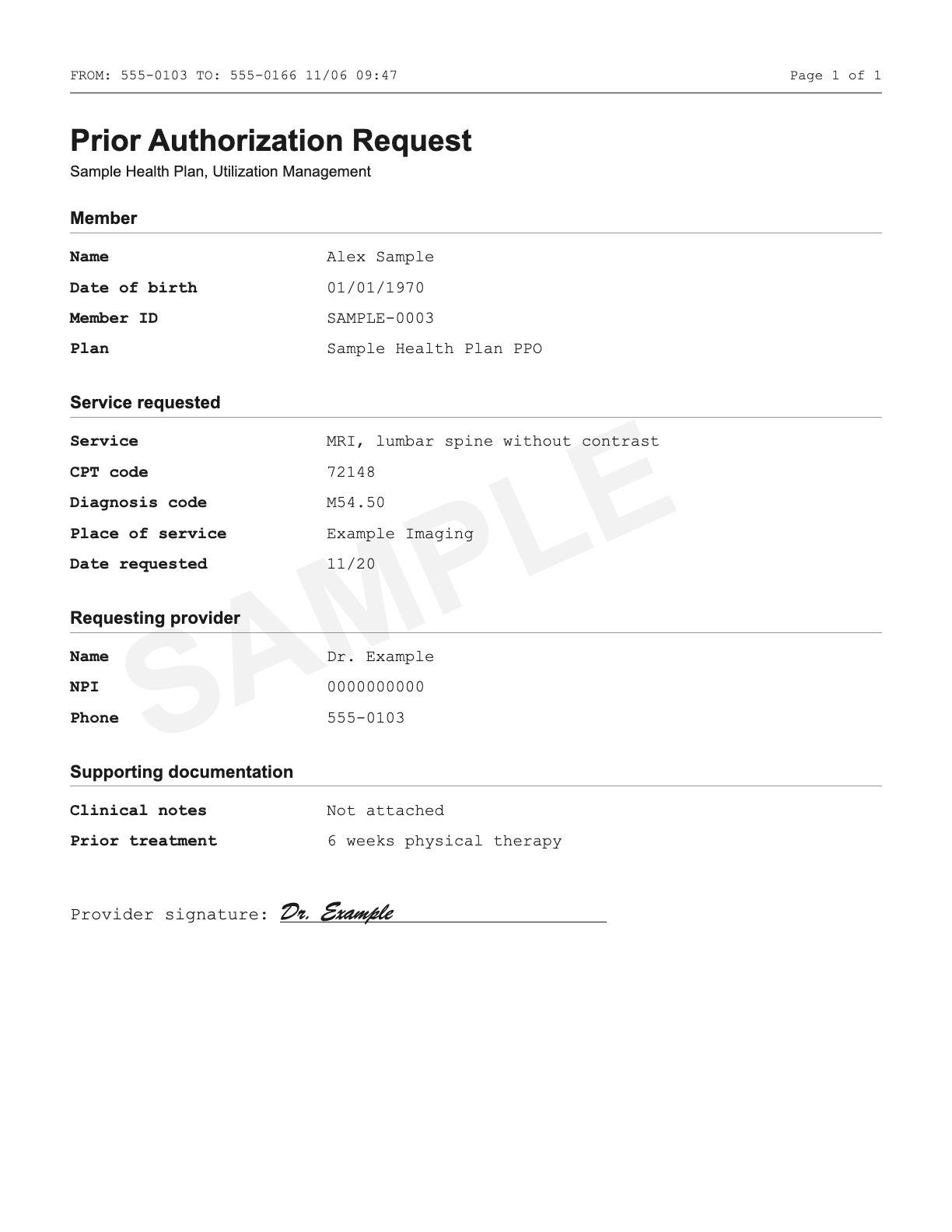
PDF or photo, deleted once read. Use a test document, not real patient records.