Every emailed order read, checked, and entered.
Give it a customer order and see what it pulls out and what it flags.
A 30-minute call. Bring one real document.
Runs on FlowRunner. Your FlowRunner subscription is a separate bill.
An order lands in your inbox at 8:31 a.m. Here is what happens next.
Orders arrive by email in every customer's own layout, and someone retypes each one. The automation reads each order, checks it against your system, enters what checks out, and sends your team only the exceptions.
Without automation
Hours
in the order desk queue
Customer service is stuck on data entry.
- 8:31 AMThe order joins the queue.
- LaterSomeone reads it and types in every line.
With automation
Minutes
to read, check, and enter it
Your desk sees only the exceptions.
- 8:31 AMThe order is picked up and read line by line.
- 8:32 AMEach line is checked, and the order is entered.
- 8:33 AMAnything that does not check out goes to your desk.
80% less time
on 125 emails a day at a mental health transportation provider, with every request read and entered.
Read the case studyIt's working fantastically. Of all the things we've built, this is the one that I've been told, 'We'll be upset if you take this away from us now.'
Your order desk decides only the exceptions.
Reading, checking, and entering happen automatically. Your team sees what does not check out, in the place they already work.
It always asks you before:
- Any unknown item
- Any bad address
- Any likely duplicate
Your order desk lead's phone
- 8:33 AM Automated
Brazos Mechanical
PO 7710
Copper elbow, 3/4 in
Qty 200
An order line has no part number.
- 8:35 AM You
Match item
- 8:36 AM Automated
Matched and entered. The confirmation is sent.
What you get
Every order read
Email, PDF, or spreadsheet, in every customer's layout.
Checked against your system
Each line checked, using your rules.
Entered for you
What checks out goes straight into your TMS, WMS, or ERP.
Customers confirmed
A confirmation goes out once the order is entered.
Exceptions where you work
A helpdesk ticket, Slack, text, or email.
A record of everything
Every order and every decision, with who decided and when.
Works with what you already use
- Gmail
-
 Outlook
- Your TMS or WMS
- Your ERP or accounting system
- NetSuite
- QuickBooks Online
- Zendesk
- Slack
- Text messages
Product names and logos are trademarks of their owners. Midnight Flow is not affiliated with or endorsed by them.
Want this built for you?
A 30-minute call. Bring one real document. We keep it running.
We do the build: setup in your accounts, tuning on your own past data, and training your team. FlowRunner runs it from there. How we work
Two separate bills apply: your FlowRunner subscription, billed by FlowRunner at your volume, and your AI model usage, billed by your AI provider. We set both accounts up for you. See FlowRunner pricing.
This customer order just landed in your inbox.
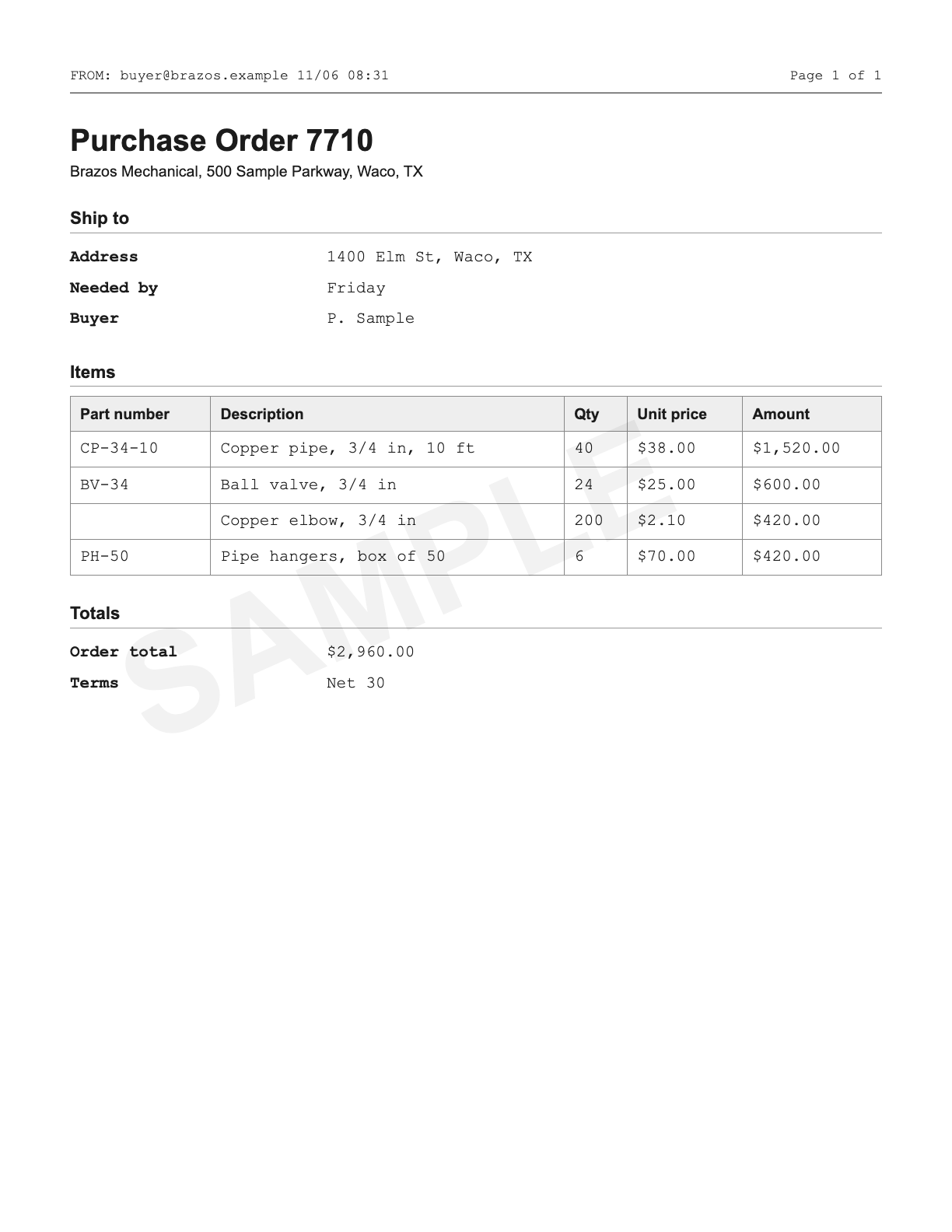
PDF or photo, deleted once read.
What your team would have typed in
What your team would have had to catch
More for logistics customer orders
Each runs on its own, and they share connections when you add more.
Frequently asked questions
Why not just use ChatGPT or Claude for this?
A chat assistant reads an order when you paste it in. This runs on its own when an order lands in your inbox. It reads every line, checks it against your system, enters what checks out, and sends your team only the exceptions.
Our customers will not use a portal. Does that matter?
No. That is the point. They keep sending orders the way they do today.
Where do decisions go?
Wherever your team already works: a ticket in your helpdesk with a link to the approval screen, Slack, email, or the review screen itself. Your team can approve, correct, or override.
Who looks after it once it is live?
We do. We monitor it, fix it, and make your changes, so your team does nothing. It lives in a FlowRunner account in your company's name, so it never depends on us.
What else will I pay for besides your fee?
Two extras apply to every engagement. Your FlowRunner subscription is billed by FlowRunner at your volume, and your AI model usage is billed by your AI provider. We set both accounts up as part of the build. See FlowRunner pricing.
Fit check
Tell us about the work that keeps piling up. We tell you whether it fits and how soon it could be live.
- About two minutes to fill in
- Pick a call time the moment you send it
- A written scope before any work starts
Rather talk it through? Book a call
Thanks. We have your answers.
A copy is on its way to your inbox. Pick a time for a 30-minute call, and we will have read your answers before we talk.
See whether this fits your office
A 30-minute call against how you work today, or a short fit check if you would rather write than talk.